



Denture try-in options help clinicians verify fit, occlusion, esthetics, vertical dimension, and patient approval before the final prosthesis is manufactured. The best choice is not always the most elaborate step. It is the workflow that answers the clinical question still left open after records, design review, and patient discussion. Review AvaDent prosthetic protocols when comparing the available paths.
Request a digital denture workflow review from AvaDent
For most digital denture cases, denture try-in options fall into four practical paths: a Wagner Try-In for a structured physical verification protocol. A Bouma Try-In for bio-functional confirmation from reference records. A hybrid try-in when complex cases need both digital planning and chairside review. And digital verification when the records are strong enough to approve the design without another physical appointment.
AvaDent supports clinicians with digital records, Dashboard review, Set-up Editor communication, printed try-ins, milled final dentures, overdentures, and hybrid prosthetics. That flexibility matters because a routine complete denture, an immediate denture, and a full-arch implant case do not carry the same risk profile. The sections below show how to match the try-in step to the case instead of defaulting to the same path every time.
How denture try-in options fit into a digital workflow
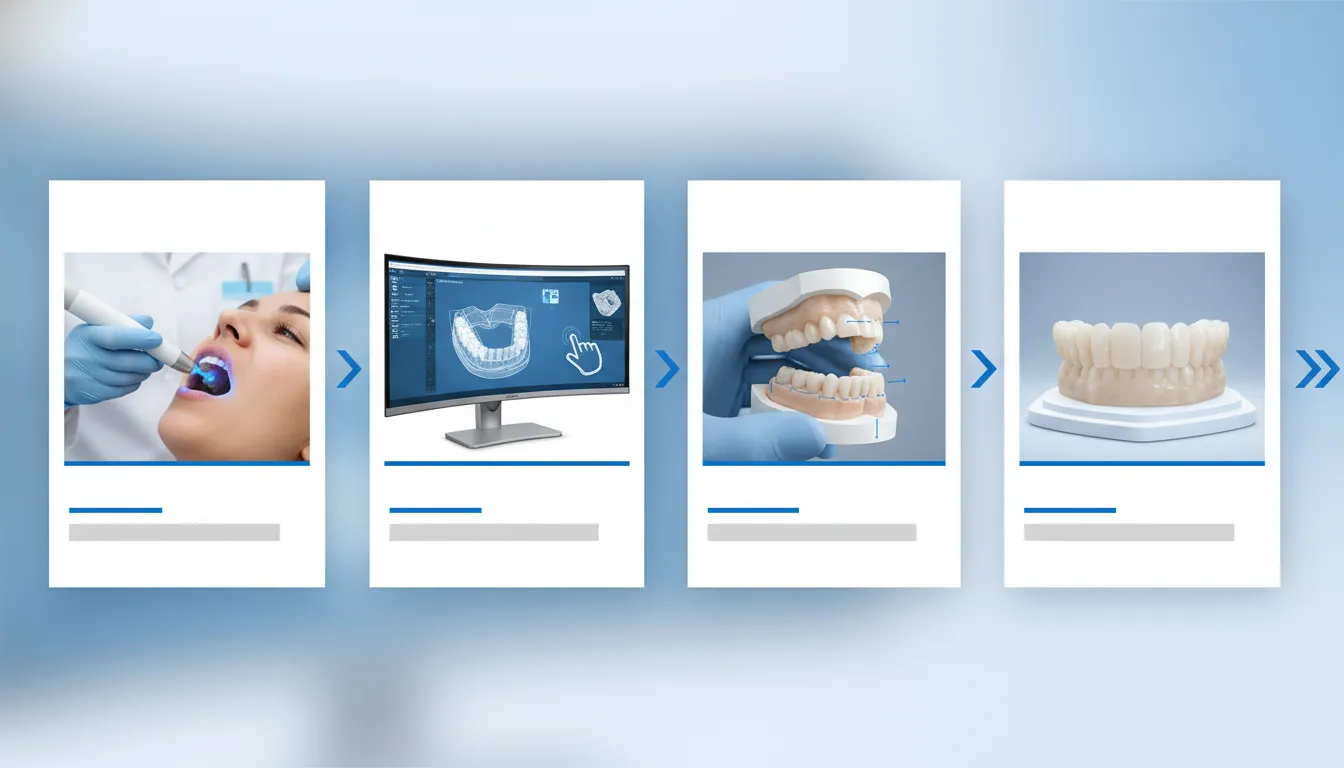
A digital denture workflow starts with accurate clinical records, not with the try-in itself. The clinician captures the final impression or scan, jaw relationship record, esthetic landmarks, and any reference appliance that can guide the proposed setup. AvaDent can receive intraoral scans, desktop scans, or physical records, then convert that information into a digital design for review.
That design review is the first verification point. The clinician can evaluate tooth position, occlusal plane, VDO, midline, lip support, and esthetic goals before the case moves forward. If the records are consistent and the clinical risk is low, digital verification may be enough. If the records leave uncertainty, a physical try-in gives the dentist and patient a controlled point to confirm the plan.
This is where the workflow becomes strategic. A try-in should be used to solve a specific problem. It may confirm esthetics for a patient with high smile expectations. It may confirm the bite when an existing denture is unstable. It may help validate a full-arch implant setup before the final prosthesis is milled. The purpose is not to add visits. The purpose is to reduce the chance of a final prosthesis that needs avoidable redesign.
AvaDent's digital denture workflow reflects that flexible approach. Clinicians can submit an Rx, digitize records, review and approve or edit a design, then receive the try-in or final prosthetic selected for the case. The same framework can support complete dentures, immediate dentures, overdentures, and implant prosthetics.
What are the main denture try-in options?
The main denture try-in options differ by how much physical verification they provide and what clinical question they answer. The table below summarizes the common paths a clinician may consider.
| Option. | Best use case. | Main strength. | Records needed. |
|---|---|---|---|
| Wagner Try-In. | A structured complete denture protocol. | Combines a defined clinical sequence with physical review before final manufacture. | Final impressions, measurements, bite record, tooth mold selection, and patient approval records. |
| Bouma Try-In. | Reference denture or bio-functional verification workflows. | Confirms VDO, midline, incisal edge, lip support, esthetics, fit, and bite. | Bite registration, opposing dentition for single arch cases, reference record, and cameo and intaglio scans when digital. |
| Hybrid try-in. | Complex or implant-related cases that need added confirmation. | Combines digital planning with physical confirmation before final prosthetic decisions. | Digital design files, clinical verification records, implant or restorative records, and clear approval notes. |
| Digital verification. | Straightforward cases with accurate records and low uncertainty. | Reduces unnecessary chair time when the clinician can approve the design digitally. | Complete records, accurate jaw relation, esthetic references, and confident design approval. |
| Full-color printed try-in. | Cases where the patient or clinician needs a visual physical preview. | Supports esthetic review before the final denture is selected and produced. | Approved trial design, esthetic notes, and any records needed to guide revisions. |
The simplest way to choose is to identify the risk. If the risk is record quality, improve the records first. If the risk is esthetic acceptance, use a try-in that lets the patient and clinician review the proposed appearance. If the risk is implant position, occlusion, or full-arch complexity, choose a workflow that adds enough physical and digital verification to protect the final outcome.
When should clinicians choose a Wagner Try-In?
A Wagner Try-In makes sense when a clinician wants a structured physical protocol for a complete denture case. AvaDent's Wagner EZ Guide Protocol is designed around an efficient sequence that includes final impressions. Papillameter measurements, tooth mold selection, try-in evaluation, interocclusal record capture, patient approval, and final delivery. The approach gives the dentist a repeatable framework rather than a vague laboratory handoff.
During the try-in appointment, the clinician seats the try-in, evaluates and refines tooth position, captures the interocclusal record, and obtains patient approval. That step can be especially valuable when the patient needs to see the proposed setup before committing to the final denture. It also gives the clinician a defined point to confirm the bite and esthetics in the mouth.
Use this option when the case benefits from a physical check but does not necessarily require a more complex hybrid verification pathway. A conventional edentulous case with good anatomy, clear records, and a patient who wants to approve appearance can fit this category. It is also useful when the practice wants a repeatable staff workflow for records, try-in, and delivery.
Do not use the Wagner path as a substitute for missing information. If the initial records are unclear, the first move is to recapture or clarify them. A try-in can confirm a plan, but it should not be asked to rescue a plan built on inconsistent records.
Review the Wagner EZ Guide Protocol
When does a Bouma Try-In make sense?
A Bouma Try-In, also described by AvaDent as a Bio-Functional Try-In. Fits cases where the clinician is working from a reference denture, existing denture, duplicate denture, bite rim, or other reference record. The goal is to verify the functional and esthetic information that will guide the final denture.
AvaDent's Bouma Try-In page lists several clinical record procedures. The clinician makes a bite registration, reinserts the denture, verifies midline, incisal edge, VDO, lip support. Esthetics, and bite, makes a wash impression in the reference record using tray adhesive, and establishes VDO. These steps are practical because many denture problems are not purely digital design problems. They are record and relationship problems.
For digital scan files, AvaDent identifies opposing dentition for single-arch cases, bite registration, and cameo and intaglio scans of each arch as required records. For physical records, AvaDent lists opposing dentition for single-arch cases, bite registration, and a reference record such as a try-in, existing or duplicate denture, or bite rim.
Choose a Bouma Try-In when the reference record contains useful clinical information, but the clinician still wants an intermediate verification step before the final denture. This can be helpful when changing VDO, improving esthetics from an existing denture, or translating a patient's current appliance into a more controlled digital design.
How should you decide by case complexity?
The best decision framework starts with case complexity. Simple cases can often move faster. Complex cases usually need more checkpoints. The following process helps the clinician choose the right try-in path without overusing physical appointments.
- Confirm record completeness. Check whether the impressions or scans, bite registration, VDO, esthetic references, and reference appliance data are complete. If they are incomplete, recapture records before selecting a try-in.
- Classify the case risk. Low-risk complete denture cases may move through digital approval or a structured Wagner Try-In. Moderate cases with reference appliance changes may fit a Bouma Try-In. Complex implant, overdenture, or full-arch cases may need a hybrid path.
- Identify the unanswered question. If the question is appearance, choose a path that supports esthetic review. If the question is bite or jaw relation, prioritize records and physical verification. If the question is prosthetic design around implants, include the appropriate hybrid verification steps.
- Decide whether the patient needs a physical preview. Some patients need to see and approve tooth position, lip support, and smile appearance. Others are comfortable with digital review if the clinical records are strong.
- Document the approval point. Whether the approval happens digitally or at a physical try-in, document what was accepted, what changed, and what must be revised before final manufacture.
This framework keeps the try-in choice tied to clinical need. It also helps the team explain the workflow to the patient. The message is clear. This step verifies the most important part of the case before the final denture is made.
What records do digital denture try-ins need?
Digital denture try-ins depend on records that are complete, clear, and aligned with the chosen workflow. A try-in cannot correct an inaccurate bite record by itself. It can only reveal that the record needs correction. Strong records give the design team the information needed to create a try-in that answers the right clinical question.
For a single-arch case, opposing dentition is essential because the try-in must relate to the existing arch. Bite registration is equally important because it communicates the intended jaw relation and vertical dimension. For digital scan files, cameo and intaglio scans of the relevant arch or appliance help translate the external contours and tissue-facing surfaces into the digital plan.
Physical records may include a bite registration and a reference record, such as a try-in, existing denture, duplicate denture, or bite rim. These records can be especially useful when the current denture contains information the patient and clinician want to preserve. Examples include tooth display, smile line, phonetic comfort, or a familiar occlusal relationship.
Clinicians should also include clear notes about midline, incisal edge, VDO, lip support, esthetic goals, tooth shade, tooth form, and any planned changes from the existing denture. Photos can support these notes, especially when esthetics are a major driver of the try-in decision. The more specific the record package, the easier it is to determine whether a Wagner, Bouma, hybrid, or digital verification path is appropriate.
How digital verification reduces remakes and chair time
Digital verification reduces unnecessary chair time when the records and design are clear enough for confident review. In AvaDent's workflow, clinicians can review the case through the online Dashboard, communicate changes through the Dashboard, and make changes with Set-up Editor when appropriate. That digital checkpoint can resolve many questions before a physical product is made.
Digital verification is not the same as skipping quality control. It is a different form of quality control. The clinician still reviews the plan, confirms the setup, and communicates changes before approval. The difference is that a straightforward case may not need an additional physical appointment if the records already answer the clinical questions.
For more complex cases, digital verification can complement a physical try-in. The design can be reviewed digitally first, then tested physically only where clinical uncertainty remains. That layered approach can be useful for overdentures, full-arch prosthetics, immediate denture planning, and hybrid prosthetic cases where the final material decision carries more consequence.
AvaDent also notes that digital records can support future replacement. Their workflow content states that digital backup can simplify follow-up orders and support a replacement denture within 48 hours. That benefit depends on the case and workflow, but it shows why careful digital records have value beyond the first delivery appointment.
Clinicians evaluating Bouma Try-In records, Wagner protocol steps, and full-color try-in workflows should think of digital verification as the thread that connects them. Better records make every path more predictable.
Compare Bouma Try-In records and verification requirements
Frequently asked questions about denture try-in options
What is a digital denture try-in?
A digital denture try-in is a verification step built from digital records and design data. It may be reviewed digitally, produced as a physical try-in, or used with a hybrid workflow depending on the clinical risk and the type of denture being made.
What is the difference between a Wagner Try-In and a Bouma Try-In?
A Wagner Try-In is tied to a structured denture protocol with physical evaluation before the final denture. A Bouma Try-In focuses on bio-functional verification from reference records, including bite, VDO, midline, incisal edge, lip support, esthetics, and fit.
Can digital verification replace a physical try-in?
Digital verification can replace a physical try-in when the records are complete, the case is straightforward, and the clinician can confidently approve the design. More complex cases may still need a physical try-in or hybrid verification step.
What records are needed for a Bouma Try-In?
For digital files, AvaDent lists opposing dentition for single-arch cases, bite registration, and cameo and intaglio scans of each arch. For physical records, AvaDent lists opposing dentition, bite registration, and a reference record such as a try-in, existing denture, duplicate denture, or bite rim.
Which try-in option is best for complex cases?
Complex cases often need a hybrid workflow because they carry more clinical variables. Implant position, restorative space, esthetic change, occlusion, and patient approval may all need separate verification before the final prosthesis is made.
Ready to choose the right denture try-in workflow?
Choosing between Wagner Try-In, Bouma Try-In, hybrid try-ins, and digital verification should feel systematic, not subjective. AvaDent gives clinicians multiple ways to submit records, review designs, verify cases, and move from try-in to final prosthesis with more confidence.
Explore AvaDent's digital denture workflow to match your next case with the right verification path and product workflow.